AI for keywords, search terms and negatives
Google Ads Keyword and Negative Keyword Tool
Oklamads does the whole keyword job in your own account. It researches the keywords you're missing with Google's Keyword Planner, sorts your search terms into winners to add and waste to block, and finds the negatives that stop wasted spend. Approve what you want, and it goes into Google Ads in one click.
Free audit · No card · Flat plans from $79 a month

PPC keyword research, done for you
Your agents find the gaps in each ad group, the services and searches no keyword covers yet, and run them through Google's Keyword Planner. Every idea is checked against your own account before you see it.
- Missing keywords found every week, each in the ad group it fits
- Exact or phrase match, with its reason and its confidence
- Search volume and top-of-page bid checked against what a click is worth to you
Your search terms, sorted every week
The searches behind your Search and Performance Max ads, read against what you sell.
- Waste that costs you and doesn't fit, ready to block as a negative
- Winners worth their own keyword, ready to add
- Each with its match type, its confidence and its numbers
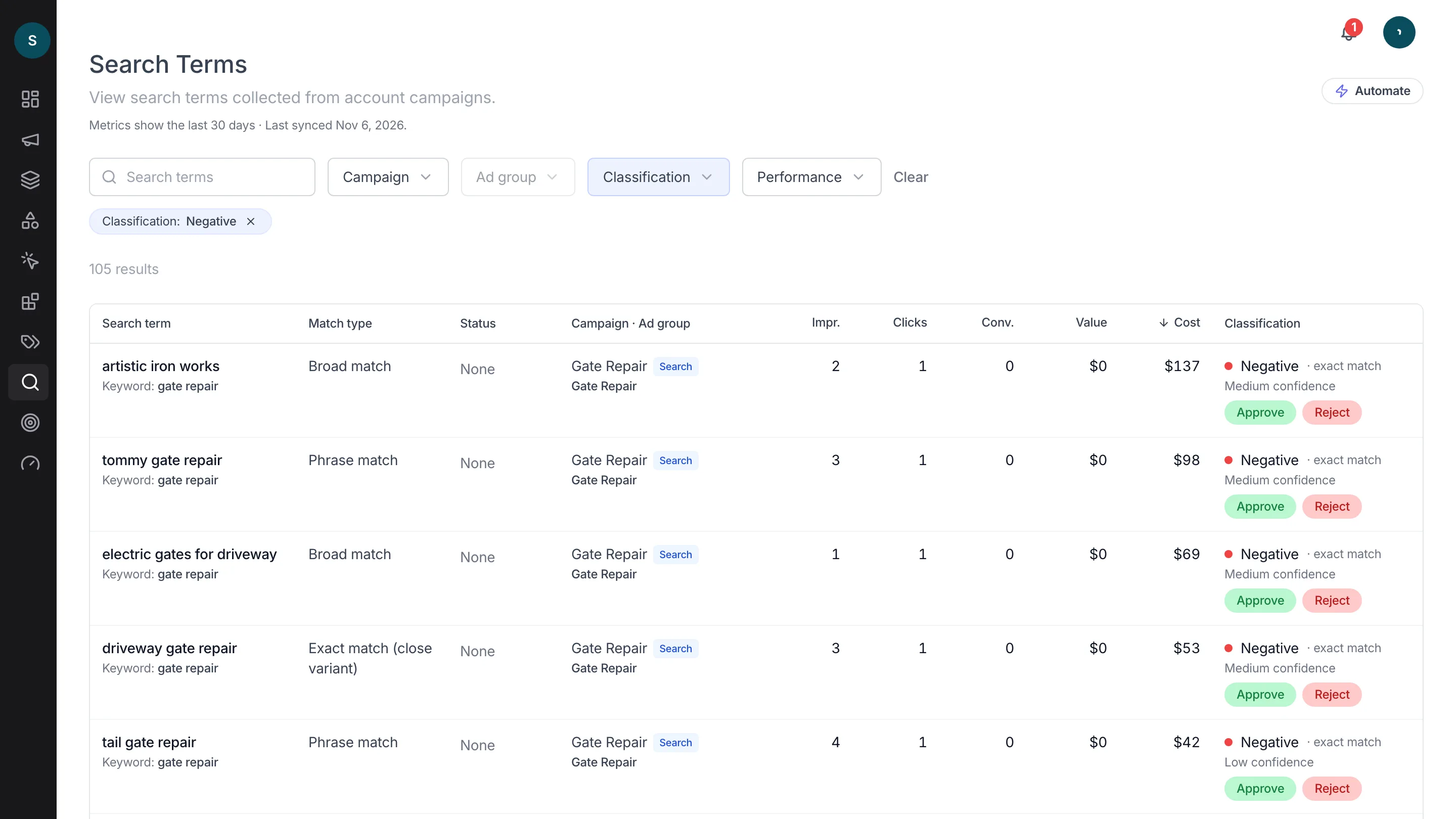
Negative keywords that stop the waste
Your agents read your search terms, your keywords and your site, and place each negative on the campaign or the ad group where it belongs.
- Each with the reason it should be blocked
- Exact or phrase match, chosen for what it needs to block
- For Search and Performance Max campaigns

Part of the work on your whole account
Keywords are one part. The same agents work through your campaigns, ads, assets and Performance Max asset groups, and every suggestion waits in one To Do for your approval.
- Every suggestion comes with its reason
- Nothing changes in Google Ads until you approve it
- One plan covers all of it

Start in three steps
- 1
Sign in with Google
Connect your Google Ads account.
- 2
Tell us what you sell
A few lines about your business, so every keyword and negative fits it.
- 3
Approve what you want
Your sorted search terms and keyword ideas wait for you, each ready to add. Approve one, and it goes into Google Ads.
Before you connect your account
What is a negative keyword?
A word or phrase that stops your ad from showing on the searches it matches. Good negatives keep your budget on the searches that can turn into customers.
How is this different from Google's Keyword Planner?
Keyword Planner gives ideas for any word you type in. Oklamads runs it for you on the gaps it finds in your account, then checks each idea against the searches you already pay for and your site, and tells you where it belongs and why.
Which campaigns does it cover?
Search and Performance Max. New keywords go into your Search ad groups; negatives go to both.
Is the audit really free?
Yes. It is free, with no card. To keep your agents working on the account, every plan starts with a 7-day free trial, then from $79 a month. Cancel anytime, and ask within 30 days of your first payment for a full refund.
Can Oklamads change my account without asking?
No. Every change waits for your approval. You see what will change and why, then you approve it or dismiss it.
What can Oklamads access?
Your Google Ads, through Google's official API, and your name and email to sign you in. No Gmail, Drive or anything else. You can remove the access any time in your Google account.
Find your negatives and missing keywords
See which searches cost you money and which keywords you're missing.
Get a free audit